Demystifying Email Encryption
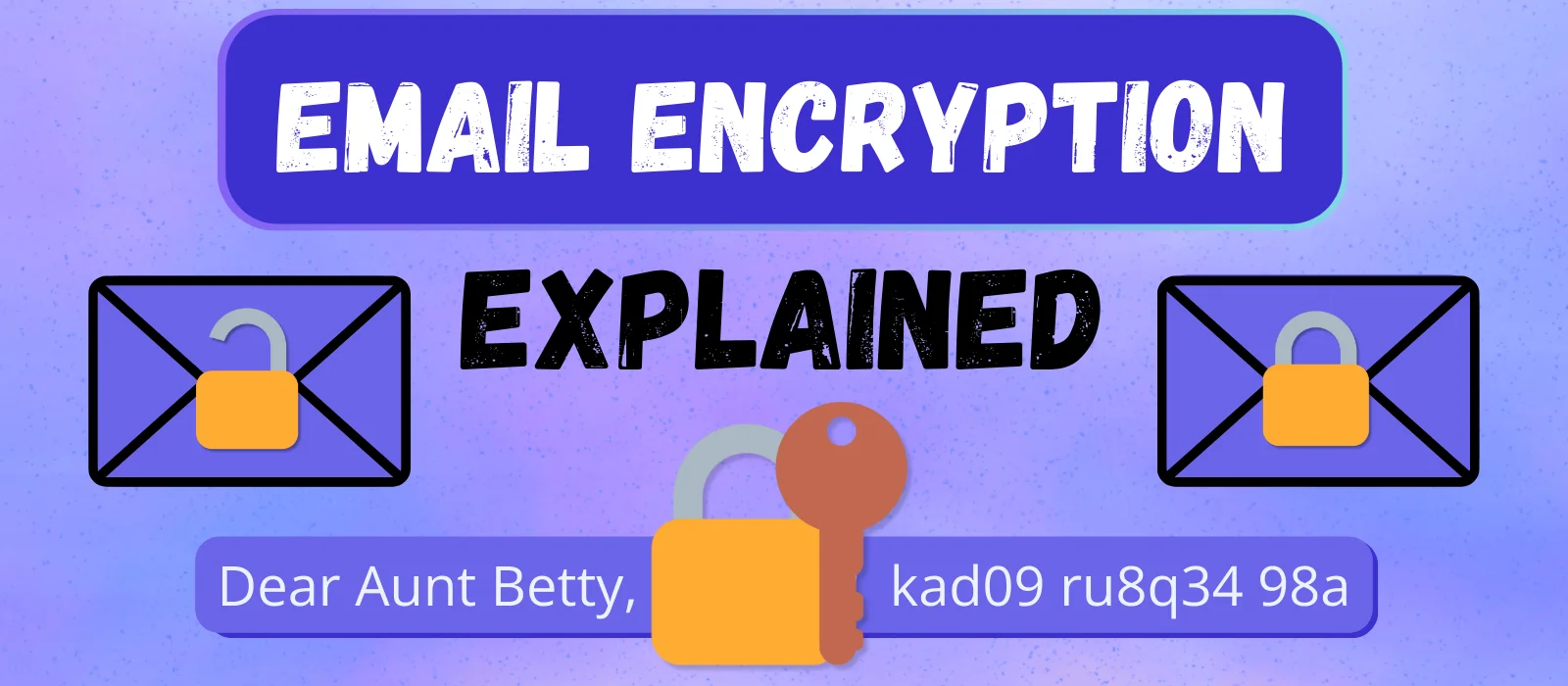
Email encryption can be confusing. This guide explains the basics in simple terms, helping you make a confident decision when switching email providers.
If you’re researching private email providers, you’ve probably seen terms like “end-to-end encryption (E2EE)”, “zero-access encryption” and “PGP” thrown around along with others. Often, it is assumed that readers already understand the nuances of these terms. But when I started researching for my own degoogle process, I realized that I understood very little of the material.
This article is meant to help people who are on a similar journey – and have similar knowledge gaps. It won’t be comprehensive – that would require something more book-like. Instead, my goal here is to help you navigate the topic of email encryption without getting lost in the weeds.
So let’s start by clarifying some foundational concepts.
Essential Encryption Concepts
What Is Encryption?
Wikipedia defines encryption as the process of transforming information in a way that, ideally, only authorized parties can decode. In other words, an encrypted message is made unreadable and only becomes readable again when decrypted.
The Role of Keys
In modern email encryption, messages are often encrypted and decrypted using so-called keys. A public key (i.e. a key that is meant to be shared with others) is used to encrypt the message. The corresponding private or secret key is needed to decrypt the message.
What’s important to understand here is that encryption is only secure if the private keys are kept private – i.e. held in the user’s possession or accessed/controlled by them.
Encrypted at Rest & Encrypted in Transit
“Encrypted at rest” and “encrypted in transit” describe encryption during an email’s two main states: when it is being sent (in transit) and when it is being stored on the provider’s servers (at rest). There is a third state, but we’ll get to that later.
For each of these forms of encryption (in transit & at rest), there are two levels of protection that differ primarily in their extent.
To unpack what I mean, let’s start by looking at encryption in transit.
Encryption in Transit
First, let’s sketch out the journey every email takes when sent:
Email in transit
- When you hit “send”, your message travels from your device to your provider’s servers
- Next it travels between providers (assuming the recipient uses a different provider, otherwise this step is skipped)
- Finally, it travels from the servers of the recipient’s provider to their end device
With this now in mind, we can break down the two different kinds of encryption in transit.
Basic Encryption in Transit (TLS)
Basic encryption in transit (which uses a protocol called TLS) involves encrypting and decrypting the connection across every “hop” (server/device) along the journey. This protects the email from being intercepted by unauthorized parties while being transmitted.
Note that the email itself is not encrypted with TLS. Rather it is the connection between the communicating servers that is encrypted.
You can think of TLS encryption as creating a temporary, secure tunnel that disappears once the email is successfully delivered. The contents of the email remain untouched throughout this process. So, if the email was not encrypted before being sent, any server or device it passes through can theoretically read the full contents.
This form of encryption (TLS) is standard in the industry and is nearly universal.
End-to-End Encryption (E2EE)
True end-to-end encryption means the message is encrypted on your device before being sent on its journey and is only decrypted by the intended recipient. It remains encrypted – and therefore unreadable – across all three stages of the email’s journey.
This is a major upgrade from TLS, because it means neither the sending nor the receiving provider can read the contents. They simply act as delivery agents and would see only gibberish if they tried to access the contents.
We’ll talk about how to achieve E2EE a little bit further down. Now let’s turn our attention to encryption at rest.
Encryption at Rest
Encryption at rest describes how the email is protected when it is stored on the provider’s servers. Here, the difference between the two levels of protection is not about what is encrypted, but how encryption is carried out.
Basic Encryption at Rest
With basic encryption at rest, the email provider encrypts the data to be stored with their own keys. This means that they can decrypt and access the messages at will – whether for compliance purposes, government requests or to enable various features.
This, too, is standard in the industry and protects your data from unauthorized access. Should hackers break into the servers, the data they steal is encrypted and therefore unreadable.
It does not, however, protect your mail from “authorized” access – access by the provider for what it deems are legitimate purposes.
Zero-Access (or Zero-Knowledge) Encryption
The higher form of encryption at rest is called zero-access encryption.
If you use a provider that offers this kind of encryption, every email you received is immediately encrypted with your public key before being stored on the provider’s servers. Once this has been done, one copy is stored on the provider’s servers and another is sent to your device. You can read the message, because you have your private key to decrypt the email. The provider has no access to your private key and therefore cannot read the contents.
When paired with E2EE, you have the highest level of email encryption possible. An email sent and received using these forms of encryption can only be read by the sender and the recipient. No one else has access (assuming the users have sole control of their devices – but that is another topic altogether).
Encryption Hierarchy
You can now think of email encryption as a spectrum:
Level 0 – No Encryption
This basically doesn’t exist anymore, thankfully.
Level 1 – TLS & Basic Encryption at Rest
The industry standard used by most major providers today, including Gmail, Outlook and Yahoo.
Your emails are protected against eavesdropping during transit as well as from unauthorized access when stored on the servers.
However, providers have full access to email contents.
Level 2 – E2EE & Zero-Access Encryption
Only the sender and recipient can read the email contents. Everyone else – including the email providers – only see gibberish.
The Uncomfortable Truth About Email Encryption
Now, if you’re like me, you read the article up to this point and felt pretty good. The explanations made sense, the conclusion seems clear: Find an email provider that offers E2EE and zero-access and you’re golden. Email encryption bliss achieved!
But perhaps you read that list and thought: What about combinations like “E2EE with basic encryption at rest” or “TLS with zero-access encryption”? Do those combinations exist?
The answer is: Yes they do – and this is where things start to get a bit complicated.
What About Mixed Scenarios?
Let’s say I (as a Proton user) want to send an email to a friend who uses Gmail. Proton is a privacy-oriented provider that offers E2EE and zero-access encryption. Gmail provides only level 1 protections (TLS in transit and basic encryption at rest).
When I send a message to my friend, what level of protection does my email have?
To keep this example simple, we are going to assume I send a normal email with default protections (we’ll talk about other possibilities in a moment).
The email’s journey would look something like this:
- When I hit “send”, Proton checks whether the recipient/its provider has a public key available to encrypt the message E2E
- In the case of Gmail, no key is found
- As a result, the message itself is not encrypted, but TLS encryption in transit is used
- My copy of the message is encrypted and placed in my Sent folder on Proton’s zero-access servers
- The other copy reaches Gmail and is then passed on to my friend’s device (with each leg using TLS)
- My friend’s copy of the message is stored on Gmail’s servers with basic at rest protection (Google can read it)
The same journey basically happens in reverse when my Gmail-using friend sends me a message.
If you felt a bit shocked reading that sequence from the third bullet onwards – you’re not alone. I’m not sure how I thought it worked, but seeing it spelled out made me go: How did I not know this before?!?
And so began my journey into the depths of email encryption.
The Three Paths to True E2EE & Zero-Access
At this point, you might be wondering if E2EE & zero-access are more hype than substance. But E2EE and zero-access are achieveable – and offer real benefits.
There are three different ways to send emails with full E2EE/zero-access protection:
- When both parties use the same or compatible E2EE/zero-access providers (i.e. Proton-to-Proton, Tuta-to-Tuta, as well as some other combinations)
- When both parties use compatible encryption methods (The most common protocol being PGP)
- Or when one party uses an E2EE/zero-access provider and sends a password-protected email (also known as password-based encryption (PBE))
Let’s take a look at how each of these options works:
Emails within the same ecosystem
If you and your recipient use the same E2EE/zero-access provider, your emails never have to leave the ecosystem – and therefore retain their promised protection.
Pretty straight-forward.
There can be combinations that extend across providers, but these are currently pretty rare (e.g. Proton can work E2E with Mailbox/Posteo when configured properly). Check your provider’s documentation for exact details.
Compatible Encryption Methods
Most encryption methods use some form of public/private key encryption, as we discussed near the start of this article.
If both parties use the corresponding public key to encrypt their messages, only the person with the private key can decrypt the message and read its contents. Without that key, no one else can read the message.
There are (free!) programs available that can accomplish this with any email and any provider!
So why isn’t everyone using these magical tools? The short answer is: Because setting things up between the two (or more) parties is a bit tedious.
The tools require both parties to use compatible methods that are set up properly. This usually involves manually exchanging keys with each individual contact. The tools also often come with some notable limitations and risks:
- Some do not work with mobile devices – meaning you cannot read or send any encrypted mails on such devices or need a separate app to do so.
- You need to manage your own keys, meaning that you need to ensure every device has the necessary keys.
- If you ever lose access to your key, you can never read your encrypted emails again.
Put it all together and – for most people – the effort isn’t worth it.
Password-protected Emails
Since most users are unlikely to convince their contacts to switch providers or use a finicky encryption tool, privacy-focused providers often offer more convenient alternatives for maintaining E2E/zero-access encryption across other providers.
The most common option is sending an encrypted, password-protected email. In this scenario, the recipient is sent an email that contains a link, rather than the message. This link takes them to a portal, where they must enter a password (you send this to them via other means or provide a “hint” that only they understand). If they successfully enter the password, they enter a kind of temporary mailbox within the sender’s ecosystem. In many cases, they can reply to the message here and even add attachments.
This scenario is basically a way to recreate the environment of the first option. The email never leaves the sender’s ecosystem. Instead of downgrading the protections to successfully send the email to a non-compatible provider, the link gives your contact temporary access to your ecosystem. The downsides for this option are the need to arrange a password and the lack of offline availability of the email for the recipient - as they can only access the message through the portal.
So the good news here is that there are ways to achieve E2EE/zero-access even when using less secure providers or corresponding with someone who does. But we aren’t finished just yet. There are a few more details about encryption that are well worth knowing if you are looking to make the switch to a more privacy-oriented provider.
Where (and When) Does Encryption/Decryption Occur
There is another layer of depth that is important to be aware of when comparing encryption schemes. To get us started, let’s use Gmail as our baseline.
When Gmail encrypts user emails “at rest”, it uses a different approach than most privacy-oriented providers. You can think of its approach like this: Google stores its email data in something like a bank vault. Inside the bank vault are multiple safes. Inside each safe are thousands of locked boxes. And inside those boxes are your emails.
Thanks to that analogy, you might think: “That sounds really secure”. And you’d be partially right. It is really secure against outside access. Hackers are not likely to break through those multiple layers of security.
But when it comes to Google’s ability to access those locked boxes – they can do it practically instantaneously. Why? You might think its because they hold all the keys. And again – you’d be right. But having the keys is only one part of the equation. The other part is having the ability to use them with no restraints. Indeed, their system is built to provide them with near unlimited access.
Gmail is in complete control of the encrypt/decrypt process. They do not need user involvement at any stage of the process. So in terms of the “when” and “where”: Gmail encrypts/decrypts on its servers and at any time it so chooses. From a privacy standpoint, this is not ideal (to state the obvious).
Now let’s contrast that approach with how privacy-oriented providers handle this “key” issue.
While each provider has its own model, they all start with the same basic approach. Each user generates (or is assigned) a pair of keys – a public and a private key (just as we’ve discussed before). Most also make the public key available to anyone who needs to use it (rather than you having to exchange it manually) – though this can vary depending on provider.
Where they tend differ more notably is in how the private key is stored, accessed and used for the encryption/decryption process. In other words, they differ on the “where” of encryption.
There are two options for where the encryption/decryption process can take place:
- It can take place on your device (known as client-side encryption)
- Or it can be performed on the provider’s servers (server-side encryption)
With client-side encryption, the privacy and security benefits are relatively obvious. If encryption and decryption happen on your device, the emails you receive are only decrypted once they reach your device. And likewise, when you send an email, it is encrypted before leaving your device. This ensures that the provider cannot access the unencrypted contents. As a result, this seems like the obvious winner. But as we will see, the decision may not be so clear-cut – depending on what you value most.
When it comes to server-side encryption, there is more variation in implementation. For one thing, the term server-side encryption can be used to describe anything from Google’s approach to that of some very privacy-oriented providers. So the range of potential meaning here is much greater.
What differentiates the privacy-oriented approach to server-side encryption from Gmail’s is how they set up their systems: While Google uses their keys to ensure access to your email at any time, most privacy-oriented providers go to great lengths to limit their access.
The exact specifics vary from provider to provider, but the most common version looks something like this:
- Your key is stored in an encrypted state (i.e. the provider cannot read/use the key in this state)
- When you log in with your password, it “unlocks” your private key
- While you are logged in, the key is available for any encryption/decryption actions (this is that third state I mentioned near the start of this article)
- As soon as you log out, the key is put back into encrypted storage and is not readily accessible to the provider
Now, you might be reading this thinking: “Why on earth would anyone go this route? The other method is clearly superior!” That was my initial reaction as well – but I eventually learned that the truth is (as it often is) somewhat more complex.
Trust, Trade-offs and Other Tangents
So we’ve learned that privacy-oriented providers can differ on the where of the encrypt/decrypt process – client-side or server-side. But they generally agree on the when. Their models require user involvement.
This is a crucial difference from Gmail: Google’s systems are built to provide them with access to everything at all times; privacy-oriented providers do the opposite – they build systems restricting their access to very narrow circumstances that generally require user involvement.
But why do some providers go the server-side route? What is the appeal, if it isn’t to read my mail?
While there are some security/privacy considerations that can favor a server-side model (which would require us to get a bit too technical here), the main reason providers choose to go with the server-side approach is to maximize user convenience.
A Quick Detour to the Past
Email was originally built to send unencrypted, plaintext messages from one person to another. It was not built with security or privacy as a high priority. The systems and protocols that have grown up around it have had to maintain compatibility with this now relatively ancient technology.
What Email has Become
Email is massively popular and we have become accustomed to interacting with this technology in various ways. We access it from all our devices: instantly, from anywhere in the world and with minimal friction.
Then there are all the features we take for granted: Perhaps you like to use the search function to instantly find that email with Aunt Betty’s amazing recipe she sent you all those years ago. Or maybe you love the instant/smart reply feature. Or super-intelligent SPAM filtering and mail sorting (like Gmail’s separate inboxes for promotions/social/updates).
Encryption Complications
Unfortunately, end-to-end encryption can break or handicap many modern email features and conveniences.
Let’s take cross-device access for instance. If you want to enjoy this convenience, you will need to have the proper keys on each device.
How about search? It is difficult to provide search results if you can’t read the email contents.
Same is true for SPAM filtering, sorting and context-based smart features. If they can’t read the mail, they can’t function.
As a result, each provider that wants to supply robust encryption has to solve some problems – and server-side encryption is an attractive compromise for many providers.
The Workarounds
Server-side encryption restores much of this functionality by allowing the provider to decrypt messages while the user is logged in. However, this comes at the cost of E2EE’s strongest privacy guarantees, since the provider must be trusted not to misuse its access to the decrypted contents.
What does the workaround look like on the client-side, err, side? Well, if we use search as an example, it looks something like this: The emails have to be downloaded/stored locally, decrypted locally and searched locally.
Now, you can guess which of these workarounds provides faster results – the enterprise-level server or your daily-driver laptop (or phone). The difference isn’t necessarily extreme, but it is often noticeable.
Trade-offs in Both Directions
The fact that there are two options for handling encryption operations (client-side or server-side) means that prospective customers are faced with a choice: Which approach makes the most sense for me?
Answering that question depends on what you value most.
- If security/privacy are most important to you, your choice will tend strongly towards a client-side solution
- If you value convenience (i.e. features, compatibility) more, you’ll probably want to use a server-side solution
Both approaches require at least some degree of trust in the provider. The only exception is using those finicky tools I talked about before – they completely eliminate the provider from the equation. Client-side operations generally require less trust, but the difference between the two approaches isn’t necessarily as great as one might assume.
Now, before we wrap things up, there is one last nugget that I learned while going down the encryption rabbit hole that I need to share. It is another aspect I had previously been aware of.
Metadata: Encrypted Email’s Achilles Heel
There is one aspect of encrypted email that is generally equal across most providers – and it is often under-reported.
Similar to postal mail, email needs certain information to function properly. With postal mail, you need to put a destination address and return address on the envelope along with a stamp.
Email was built as a digital equivalent and follows the same principle. The corresponding information needs to be visible to all “delivery agents” along the journey – i.e. the providers’ servers. As a result, this information cannot be encrypted.
What information are we talking about specifically?
- Sender/recipient address
- Date/time of delivery
- Routing information (the path it took to arrive)
This information cannot be encrypted in transit due to the way email functions. Theoretically, some of this information could be encrypted when at rest. But due to legal requirements and/or technical difficulties, you can generally assume that even privacy-focused providers will keep this data unencrypted more or less permanently.
For most people, this is an acceptable trade-off. However, for those requiring elevated levels of anonymity (journalists, whistleblowers, opposition leaders in certain countries), this information can represent a potential danger. If that is you – you should only use email as a last resort. There are usually better tools available (e.g. Signal).
Final Thoughts
Well, you made it to the end. I hope you now feel like you have a better grasp on how email encryption works and what sets privacy-focused providers apart from their Big Tech counterparts. Any privacy-oriented provider is miles ahead of Gmail and co. when it comes to corporate surveillance – and likely far better in terms of hindering government surveillance too (but official details here are hard to come by).
You are now capable of sifting through the noise that surrounds this topic and can choose your next provider with confidence.